GPT vs Claude vs Gemini vs Grok: Which AI Model Should You Use?
A practical comparison of GPT, Claude, Gemini, and Grok for writing, coding, research, image understanding, everyday chat, and multi-model workflows.


Updated May 10, 2026
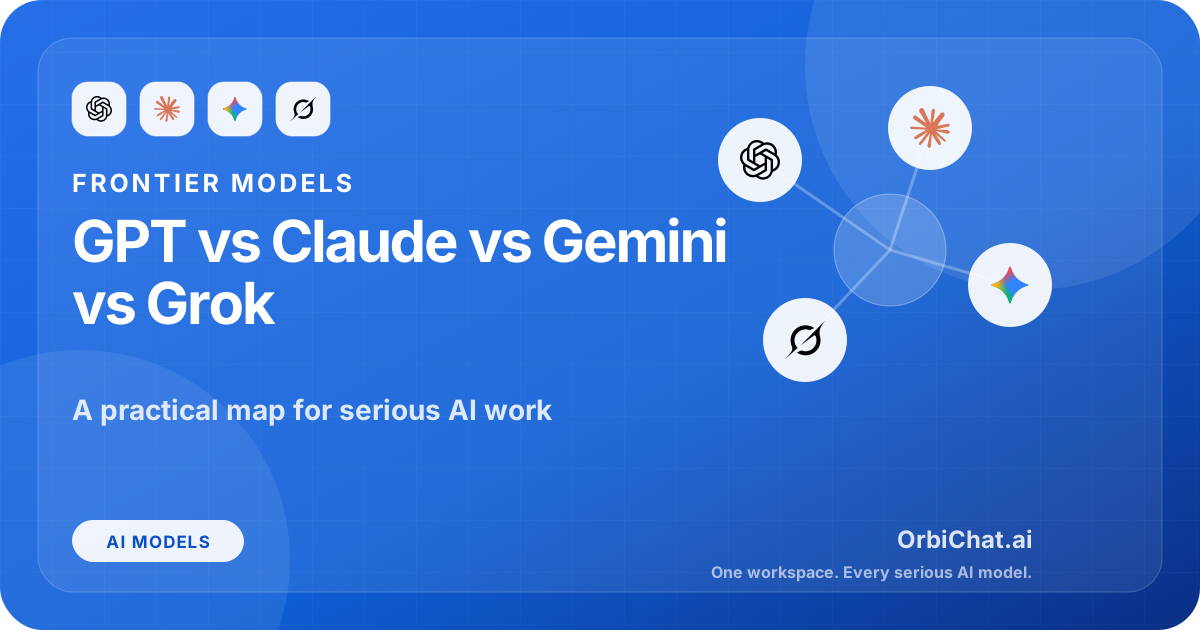
Choosing between GPT, Claude, Gemini, and Grok is no longer a simple “which one is smartest?” question.
That was easier when most people used AI chat apps for short answers, rewriting emails, or asking for quick explanations. In 2026, the model you choose can change how well you code, research, analyze files, understand screenshots, brainstorm, write, study, or build an agentic workflow that keeps working across tools.
The honest answer is that there is no single best AI model for everyone. GPT, Claude, Gemini, and Grok each have a different personality, product ecosystem, and practical sweet spot.
GPT is usually the safest default for broad everyday use. Claude is especially strong when you need careful reasoning, long-form writing, and serious coding help. Gemini is compelling if you live inside Google’s ecosystem or need strong multimodal work. Grok is more opinionated, fast-moving, and tied closely to real-time culture through X.
That does not mean you should blindly pick one and ignore the rest. The better habit is to match the model to the job.
The quick answer
Use GPT when you want a reliable general-purpose model for writing, coding, research, data analysis, tutoring, and everyday assistant work. It is usually the easiest model family to recommend to someone who wants one strong default.
Use Claude when you care about careful reasoning, clean writing, long documents, complex coding tasks, and answers that feel more deliberate. Claude often feels less eager to rush and more willing to structure a nuanced answer.
Use Gemini when your work touches Google products, multimodal inputs, long context, images, video, spreadsheets, or search-heavy workflows. It is also a strong option for people who already use Google Workspace heavily.
Use Grok when you want a more current, conversational, sometimes sharper model experience connected to X culture and xAI’s ecosystem. It can be useful for trend-aware discussion, quick opinions, and a different flavor of answer.
Here is the practical version:
| Use case | Best first pick | Why |
|---|---|---|
| Everyday chat | GPT | Strong default across many tasks |
| Polished writing | Claude | Natural tone, structure, careful editing |
| Coding help | Claude or GPT | Claude is strong for deeper code reasoning; GPT is strong as a broad coding assistant |
| Google Workspace workflows | Gemini | Strong ecosystem fit |
| Image and multimodal tasks | Gemini, GPT, or Claude | Depends on exact input and app support |
| Trend-aware conversation | Grok | Stronger connection to X-style real-time culture |
| Research synthesis | GPT or Claude | GPT is broad and capable; Claude is careful and readable |
| Fast rough brainstorming | GPT or Grok | Good for quick idea generation |
| Long document analysis | Claude, Gemini, or GPT | Test all three if the document matters |
| Comparing answers | Multi-model chat app | The best answer often comes from seeing model disagreement |
The real winner is the workflow, not the brand.
GPT: the strongest all-around default
GPT is the model family most people think of first, and for good reason. It is broad, polished, and deeply integrated into ChatGPT and OpenAI’s developer ecosystem.
OpenAI’s current GPT line is positioned around complex work like coding, research, document-heavy analysis, and data tasks. OpenAI describes GPT-5.5 as a model built for harder professional work, with specific emphasis on coding, research, information synthesis, analysis, and document-heavy tasks. See OpenAI’s own GPT-5.5 announcement here: Introducing GPT-5.5.
The main strength of GPT is balance.
It can write a decent email, explain a math concept, debug code, summarize a PDF, plan a product feature, generate structured JSON, analyze a spreadsheet, and help with a school topic without feeling too specialized. That makes it a strong first choice for users who do many different things in one chat app.
GPT also tends to be good at turning messy intent into a usable output. If your prompt is not perfect, GPT often figures out what you probably meant. That matters for normal people. Most users are not prompt engineers. They just want to ask in natural language and get something useful back.
Where GPT is strongest
GPT is a good pick for:
- general-purpose AI assistance
- coding and debugging
- product thinking
- structured planning
- research summaries
- tutoring and explanations
- data analysis
- document review
- prompt improvement
- multi-step reasoning tasks
- turning rough notes into polished output
It is also usually one of the best choices when you do not know which model to use. If a user opens an AI chat app and asks, “Which model should I start with?”, GPT is often the most reasonable answer.
Where GPT can be weaker
GPT can sometimes feel too polished. That sounds like a small complaint, but it matters.
For writing, GPT may produce language that is clean but slightly too “AI shaped” unless you guide it. For strategy questions, it can sometimes give balanced answers when you actually need a sharper point of view. For coding, it can be very capable, but with large real-world codebases you still need to review its assumptions carefully.
GPT is also not automatically the best model just because it is famous. On some writing, long-context, and careful reasoning tasks, Claude may feel better. On Google-integrated tasks, Gemini may be more convenient. On culture and X-adjacent topics, Grok may feel more alive.
Best way to use GPT
Use GPT as your default model for mixed work.
Then switch away from it when you notice a specific need:
- Need more careful writing? Try Claude.
- Need Google ecosystem integration? Try Gemini.
- Need a more current social/news-flavored take? Try Grok.
- Need to compare model behavior? Run the same prompt through multiple models.
GPT is the safe first move. It should not always be the final move.
Claude: best for careful thinking, writing, and serious coding
Claude has a different feel from GPT. It often reads like a thoughtful collaborator rather than a fast answer machine.
Anthropic’s Claude Opus 4.7 is positioned around advanced software engineering, complex long-running tasks, stricter instruction following, and more reliable multi-step work. Anthropic says Opus 4.7 improves on Opus 4.6 in advanced software engineering and is available across Claude products, the Claude API, Amazon Bedrock, Google Cloud Vertex AI, and Microsoft Foundry. Anthropic’s announcement is here: Introducing Claude Opus 4.7.
Claude’s biggest strength is how it handles depth.
If you give Claude a complicated product requirement, legal-style policy, long draft, technical spec, or messy code plan, it often does a good job slowing down and organizing the problem. It tends to explain tradeoffs clearly. It is also strong at editing writing without making it sound like a generic corporate memo.
For many writers, founders, students, and engineers, Claude feels especially good when the output has to be read by another human. It is not just about correctness. It is about structure, rhythm, and judgment.
Where Claude is strongest
Claude is a good pick for:
- long-form writing
- editing and rewriting
- product specs
- technical planning
- careful reasoning
- code review
- debugging complex logic
- summarizing long documents
- comparing arguments
- turning rough ideas into clean documents
- writing that should sound less robotic
Claude is also very strong for “think with me” tasks. If you are shaping an idea, preparing a proposal, or trying to understand a tradeoff, Claude often gives a more grounded answer than models that jump too quickly into generic advice.
Claude for coding
Claude has built a strong reputation among developers because it is good at following detailed instructions and reasoning through code structure. It is especially useful when you want the model to think before changing things.
For example, Claude is often a good choice when you ask:
- “Read this architecture and tell me what is wrong.”
- “Refactor this without changing behavior.”
- “Find the hidden bug in this flow.”
- “Write a plan before touching the code.”
- “Explain the tradeoffs between these backend designs.”
- “Review this pull request like a senior engineer.”
The caveat: Claude can be very literal. That is usually good, but it means your instructions matter. If your prompt has contradictions, vague wording, or missing constraints, Claude may follow the wrong part too faithfully.
Where Claude can be weaker
Claude is not always the fastest-feeling model. Depending on the product and model tier, it may feel more deliberate. That is good for hard work, but not always necessary for short tasks.
Claude can also be more cautious in tone. For some users, that makes it trustworthy. For others, it can feel like it is holding back. If you want aggressive brainstorming, punchy social posts, or a more chaotic idea generator, GPT or Grok may sometimes feel more energetic.
Best way to use Claude
Use Claude when the output needs judgment.
It is especially useful when you are working on something that will become a real artifact: a blog post, PRD, investor memo, course explanation, code review, product strategy, or important email.
Claude is not just for answers. It is for shaping work.
Gemini: best for Google-native and multimodal workflows
Gemini is Google’s model family, and its main advantage is not only model quality. It is ecosystem gravity.
If you already work in Google Docs, Gmail, Drive, Sheets, Calendar, YouTube, Android, Chrome, or Google Cloud, Gemini has a natural distribution advantage. AI gets more useful when it can sit near your actual work. Google has more surface area than almost anyone.
Google describes Gemini 3.1 Pro as best for complex tasks that require broad world knowledge and advanced reasoning across modalities, while Gemini 3 Flash is positioned as a faster model with strong intelligence at Flash pricing and speed. Google’s developer guide is here: Gemini 3 API documentation.
That matters because many AI tasks are no longer text-only.
A user may want to ask about a screenshot, scan a document, summarize a YouTube transcript, work with a spreadsheet, compare images, or reason over a mix of files. Gemini is built with that world in mind.
Where Gemini is strongest
Gemini is a good pick for:
- Google Workspace tasks
- multimodal prompts
- image understanding
- spreadsheet-related workflows
- Android and Google app integration
- search-adjacent research
- long-context work
- quick lower-cost model variants
- developer workflows on Google AI Studio or Vertex AI
Gemini can be especially useful when the task involves context from Google products. If the AI is close to your docs, email, calendar, or files, the workflow can feel more natural than copying everything into a separate app.
Gemini for students and researchers
Gemini is also interesting for students because research often involves many formats: PDFs, slides, charts, images, notes, videos, and web pages.
A good research workflow might look like this:
- Use Gemini to process Google Drive documents or multimodal material.
- Use GPT to create a clear explanation or study guide.
- Use Claude to polish the final writing or critique the argument.
This is exactly why multi-model workflows are becoming more useful. One model may be better at gathering and grounding context. Another may be better at writing the final explanation.
Where Gemini can be weaker
Gemini’s quality can feel uneven depending on the product surface, model version, and task type. The Gemini model you use inside one Google product may not feel identical to the Gemini model you use through an API or developer tool.
Another issue is style. Gemini can be very capable, but some users find GPT or Claude more natural for polished writing. That does not mean Gemini cannot write. It means the best model depends on the exact output you want.
Best way to use Gemini
Use Gemini when your task is connected to Google or multimodal context.
If you are analyzing documents in Drive, working with Google apps, exploring images or files, or building inside Google Cloud, Gemini deserves a serious test. If you are writing a delicate essay, brand article, or product memo, compare its output against Claude and GPT before choosing.
Grok: best for fast, opinionated, culture-aware chat
Grok is xAI’s model family, closely tied to X and the xAI ecosystem. It has a different brand personality from GPT, Claude, and Gemini.
xAI describes Grok as accessible on grok.com, iOS, and Android, with API support for developers. xAI also maintains model and pricing docs for developers, including information about model changes and retirements. You can see xAI’s model docs here: xAI Models and Pricing.
Grok’s biggest appeal is not that it replaces GPT, Claude, or Gemini for every serious work task. Its appeal is that it feels different.
It is more conversational, more direct, and more connected to the culture of X. For some users, that makes it more fun. For others, it makes it less suitable for careful professional output.
Where Grok is strongest
Grok is a good pick for:
- quick opinions
- trend-aware discussion
- X-related context
- brainstorming
- casual explanations
- edgy or less corporate tone
- fast back-and-forth chat
- alternative perspectives
Grok can be useful when you do not want the safest possible answer. Sometimes you want a model that challenges the premise, gives a sharper take, or responds with more personality.
That can be valuable for brainstorming headlines, social posts, cultural commentary, startup ideas, or quick “what is happening here?” reactions.
Where Grok can be weaker
Grok is not always the best first choice for careful professional writing, long technical documents, or high-stakes analysis. You should still verify important claims, especially for topics that change quickly.
It can also be more polarizing. Some users like a model with a stronger voice. Others prefer a quieter assistant that stays focused on the task.
Best way to use Grok
Use Grok when you want a different angle.
It can be helpful as a second-opinion model. Ask GPT or Claude for the careful answer, then ask Grok for the sharper critique. The disagreement itself can reveal useful points.
For example:
Here is my product idea. Give me the harshest practical critique. Do not be polite. Focus on what could fail.That kind of prompt can work well with a model that has a more direct conversational style.
The real difference is not only intelligence
Most comparisons focus too much on benchmark performance. Benchmarks matter, but they do not fully explain what using a model feels like.
For real users, the important differences are more practical:
- Does the model understand messy prompts?
- Does it ask useful clarifying questions?
- Does it follow formatting instructions?
- Does it stay grounded in the provided context?
- Does it write in a tone you would actually use?
- Does it handle files and images well?
- Does it work inside the apps you already use?
- Does it make fewer expensive mistakes?
- Does it know when it is unsure?
- Does it help you finish the task faster?
The best AI model is not the one that wins every benchmark. It is the one that improves your workflow with the least friction.
Best model for writing
For writing, Claude is often the strongest first pick, especially when you want the output to feel natural, structured, and less generic.
Claude is good at:
- editing without over-polishing
- improving flow
- preserving the writer’s voice
- cutting filler
- explaining why a sentence does not work
- turning rough notes into a clean draft
- writing long-form content with better rhythm
GPT is also strong for writing, especially when you need speed, variety, or structured formats. It can generate outlines, rewrite in different tones, create examples, and help with SEO-friendly drafts.
Gemini is useful for writing when the source material is inside Google’s ecosystem or when the task involves multiple document types.
Grok can be good for punchier writing, social posts, and opinionated angles, but it may need more editing for polished brand work.
A practical writing workflow:
- Use GPT to generate quick angles and outlines.
- Use Claude to write or polish the draft.
- Use Gemini if your source material lives in Google Docs or Drive.
- Use Grok to stress-test the angle and make it less boring.
For OrbiChat-style content, this matters because the goal is not just to generate text. The goal is to find the best model for each stage of the writing workflow.
Best model for coding
For coding, the best choice is usually Claude or GPT.
Claude is strong when the task requires reasoning through a codebase, following a careful plan, and producing cleaner changes. It is especially good when you ask it to inspect before editing.
GPT is strong as a general coding assistant, especially for debugging, explaining unfamiliar libraries, generating examples, and working across many programming tasks.
Gemini can be strong for coding too, especially inside Google developer tools or when using Gemini through AI Studio and Vertex AI. Its Flash models can also be attractive when you need speed and cost control.
Grok can help with quick coding questions, but for serious code changes, Claude and GPT are usually safer first choices.
Coding task examples
Use Claude for:
Review this backend architecture and identify hidden scalability problems. Be specific. Separate actual risks from personal preferences.Use GPT for:
Explain this error, show the likely cause, and give me three possible fixes from safest to fastest.Use Gemini for:
Analyze this screenshot and code snippet together. Tell me why the UI layout is breaking and suggest a fix.Use Grok for:
Give me a blunt critique of this developer tool idea. What would make engineers ignore it?The best coding workflow is not “ask AI to write code.” It is “use the right model for planning, implementation, review, and debugging.”
Best model for research
For research, GPT and Claude are usually the best starting points, with Gemini becoming very useful when the research involves Google Search, Google Docs, PDFs, images, or large context.
GPT is good at turning scattered information into a structured explanation. Claude is good at careful synthesis and readable analysis. Gemini is good when the context is multimodal or tied to Google products. Grok can be useful for understanding what people are currently arguing about, especially in social or tech culture.
A strong research workflow:
- Collect sources and notes.
- Ask GPT to map the topic.
- Ask Claude to critique the logic and identify missing assumptions.
- Ask Gemini to process files, images, or Google-connected context.
- Ask Grok for the “what are people missing?” angle.
- Verify important claims manually.
The last step matters. AI models are useful research assistants, not automatic truth machines.
Best model for studying
For studying, GPT is often the best default because it explains concepts clearly and adapts well to different levels.
Claude is excellent when you want deep explanations, essay feedback, or careful reasoning. Gemini is useful if your class materials are in Google Drive or if you are working with diagrams, images, and videos. Grok can make explanations more casual and direct, but it may not be the best option for precise exam prep.
Good study prompts:
Explain this concept like I am seeing it for the first time, then give me a harder university-level version.Quiz me one question at a time. Do not give the answer until I try.Find the weak points in my explanation and tell me what I misunderstood.For students, the model matters less than the study method. Passive summaries feel productive, but active recall works better. Use AI to quiz you, check your reasoning, and force you to explain.
Best model for images and multimodal work
For multimodal work, Gemini, GPT, and Claude are all serious options. The best choice depends on the exact app, model version, and input type.
Gemini has a strong position because Google has invested heavily in multimodal AI across text, image, video, and product integrations. GPT is also strong for image understanding in ChatGPT-style workflows. Claude’s newer models have improved high-resolution image support, which matters for screenshots, documents, UI review, and computer-use tasks. Anthropic’s documentation describes Claude Opus 4.7 as its first Claude model with higher-resolution image support: Claude Opus 4.7 model notes.
Use multimodal models for:
- screenshot analysis
- UI/UX critique
- document understanding
- chart explanation
- handwritten notes
- debugging visual layout issues
- extracting information from images
- comparing designs
- understanding diagrams
The trap is expecting image understanding to be perfect. Models can miss small details, misread text, or overconfidently infer things that are not visible. For important work, ask the model to quote the exact visible evidence before making conclusions.
Best model for product work and startups
For product thinking, GPT and Claude are usually the best pair.
GPT is good for generating options quickly. Claude is good for making those options more coherent and realistic. Gemini is useful if your product work is connected to Google documents, analytics exports, or mixed media. Grok can be useful for sharper positioning and contrarian takes.
A good product workflow looks like this:
I am building [product]. The target user is [user]. The problem is [problem]. Give me 10 positioning angles, then rank them by clarity, differentiation, and likely buyer urgency.Then take the best output and ask another model:
Critique this positioning. What sounds generic? What would users not believe? What should be more specific?The value comes from disagreement. If GPT, Claude, Gemini, and Grok all respond differently, that is useful signal. You do not have to accept one answer. You can compare the reasoning.
Best model for everyday personal use
For everyday personal use, GPT is the easiest recommendation.
It handles the widest range of normal tasks:
- “Rewrite this message.”
- “Explain this concept.”
- “Help me plan my day.”
- “Summarize this article.”
- “Give me meal ideas.”
- “Help me debug this.”
- “Make this sound more professional.”
- “Teach me this topic.”
Claude is better when the task needs care or tone. Gemini is better when the task connects to Google. Grok is better when you want a more casual or opinionated conversation.
Most people do not need to think about model choice every time. But they should know when to switch.
A practical decision framework
Here is a simple way to decide.
Choose GPT if you want the safest default
GPT is the model to use when you want one strong assistant for almost everything. It is broad, capable, and usually easy to work with.
Pick GPT when you are asking:
- “Can you help me with this?”
- “Can you explain this?”
- “Can you generate a plan?”
- “Can you analyze this?”
- “Can you turn this rough idea into something usable?”
Choose Claude if quality of thought and writing matters
Claude is the model to use when the task is important enough that tone, reasoning, and structure matter.
Pick Claude when you are asking:
- “Can you make this clearer?”
- “Can you review this carefully?”
- “Can you find the flaw in this plan?”
- “Can you write this in a human voice?”
- “Can you reason through this before answering?”
Choose Gemini if your context is multimodal or Google-native
Gemini is the model to use when your work touches Google products or mixed media.
Pick Gemini when you are asking:
- “Can you analyze this file?”
- “Can you work with this image?”
- “Can you help with this Google-related workflow?”
- “Can you reason across text, image, and structured data?”
Choose Grok if you want a sharper second opinion
Grok is the model to use when you want a different tone, a more current cultural angle, or a less corporate answer.
Pick Grok when you are asking:
- “What is the blunt take?”
- “What are people missing?”
- “How would this land on X?”
- “Make this less boring.”
- “Challenge this idea.”
Why multi-model chat apps are becoming more useful
When AI models were weaker, most users wanted one thing: a better answer.
Now the problem is different. Several models are good, but they are good in different ways. That creates a new kind of friction.
You may start with GPT, then wonder if Claude would write it better. You may use Claude for the draft, then wonder if Gemini would understand the screenshot better. You may ask Grok for a sharper critique. You may want to compare all outputs without opening four different apps.
That is where a multi-model chat app can be useful. A tool like OrbiChat is built around the idea that users should be able to work with multiple models from one clean interface instead of treating every model as a separate island.
The point is not to switch models for fun. The point is to reduce guesswork.
If the task matters, compare.
Common mistakes when choosing an AI model
The first mistake is using only one model for everything.
This is easy, but it leaves quality on the table. You may be using GPT for a task Claude handles better. You may be using Claude for a quick job where a faster model is enough. You may ignore Gemini even when your work is inside Google. You may dismiss Grok even when you need a punchier angle.
The second mistake is trusting vibes too much.
A model can sound confident and still be wrong. This is especially dangerous with research, legal topics, medical topics, financial topics, and fast-changing news. Good writing does not equal correct information.
The third mistake is comparing models with one prompt.
One prompt tells you something, but not everything. A model may perform badly because your prompt was unclear, the context was weak, or the task was not in its strength zone. Compare models across real tasks you actually do.
The fourth mistake is using the most expensive model for every job.
Flagship models are powerful, but not every task needs them. Simple rewriting, short summaries, classification, formatting, and brainstorming can often be handled by faster cheaper models. Save the strongest models for work where reasoning quality matters.
The fifth mistake is ignoring workflow.
A model inside the right app can beat a slightly better model in the wrong app. Integrations, file handling, memory, speed, price, and interface design all affect real usefulness.
Model personality matters more than people admit
AI model comparisons often pretend models are neutral engines. In practice, each one has a feel.
GPT often feels practical and broadly competent.
Claude often feels careful, structured, and more editorial.
Gemini often feels connected to Google’s broader information and productivity ecosystem.
Grok often feels more direct and culturally reactive.
That personality affects the output. It changes how the model writes, how it refuses, how it explains uncertainty, how it brainstorms, and how it interprets vague prompts.
For serious work, personality is not just style. It shapes decisions.
A model that is too agreeable may not challenge you. A model that is too cautious may avoid useful speculation. A model that is too punchy may overstate. A model that is too polished may hide weak reasoning under clean prose.
The best users learn these differences and use them intentionally.
The best workflow: ask, compare, refine
Instead of asking “which AI model is best?”, use this workflow:
- Start with the model that fits the task.
- Ask for a first answer.
- Send the same prompt to one competing model.
- Compare differences.
- Ask a third model to critique the best answer.
- Rewrite the final result yourself or ask the strongest writing model to polish it.
Example:
I am choosing a backend architecture for a multi-model AI chat app. Compare NestJS, FastAPI, and Spring Boot for scalability, developer speed, cost, and long-term maintainability. Be practical and opinionated.You could ask GPT first for a broad comparison.
Then ask Claude to critique the reasoning.
Then ask Grok for the harsh founder-style take.
Then ask Gemini if your deployment stack or Google Cloud context matters.
The final answer will usually be better than any single model’s first response.
Final recommendation
If you want one default model, start with GPT.
If you write a lot, use Claude.
If you work inside Google’s ecosystem or use multimodal inputs, use Gemini.
If you want a sharper, more conversational second opinion, use Grok.
But the smarter answer is this: stop treating AI model choice like picking a favorite football team. These models are tools. Use the one that fits the job.
GPT, Claude, Gemini, and Grok are all good enough to be useful. None of them is perfect. The best results come from knowing their strengths, testing them on your real work, and switching when the task changes.